At Uber Freight, we know that every trucking company runs differently. So, when we designed the Uber Freight app and web portal, we listened to what carriers and their drivers had to say about the challenges facing them and we continue to listen today. The end result was tools that are easy to navigate and designed entirely for phone, desktops or laptops, so dispatchers and drivers can clearly and conveniently book a load.
Using our products comes at no cost and there are no hidden booking fees. With Uber Freight prices are provided upfront which eliminates haggling and the time wasted with back and forth negotiations, allowing drivers to hit the road faster.
Searching and booking your next load on the web portal
Finding loads on the Uber Freight web portal couldn’t be simpler. Better still, there are 2 ways you can find loads 24/7.
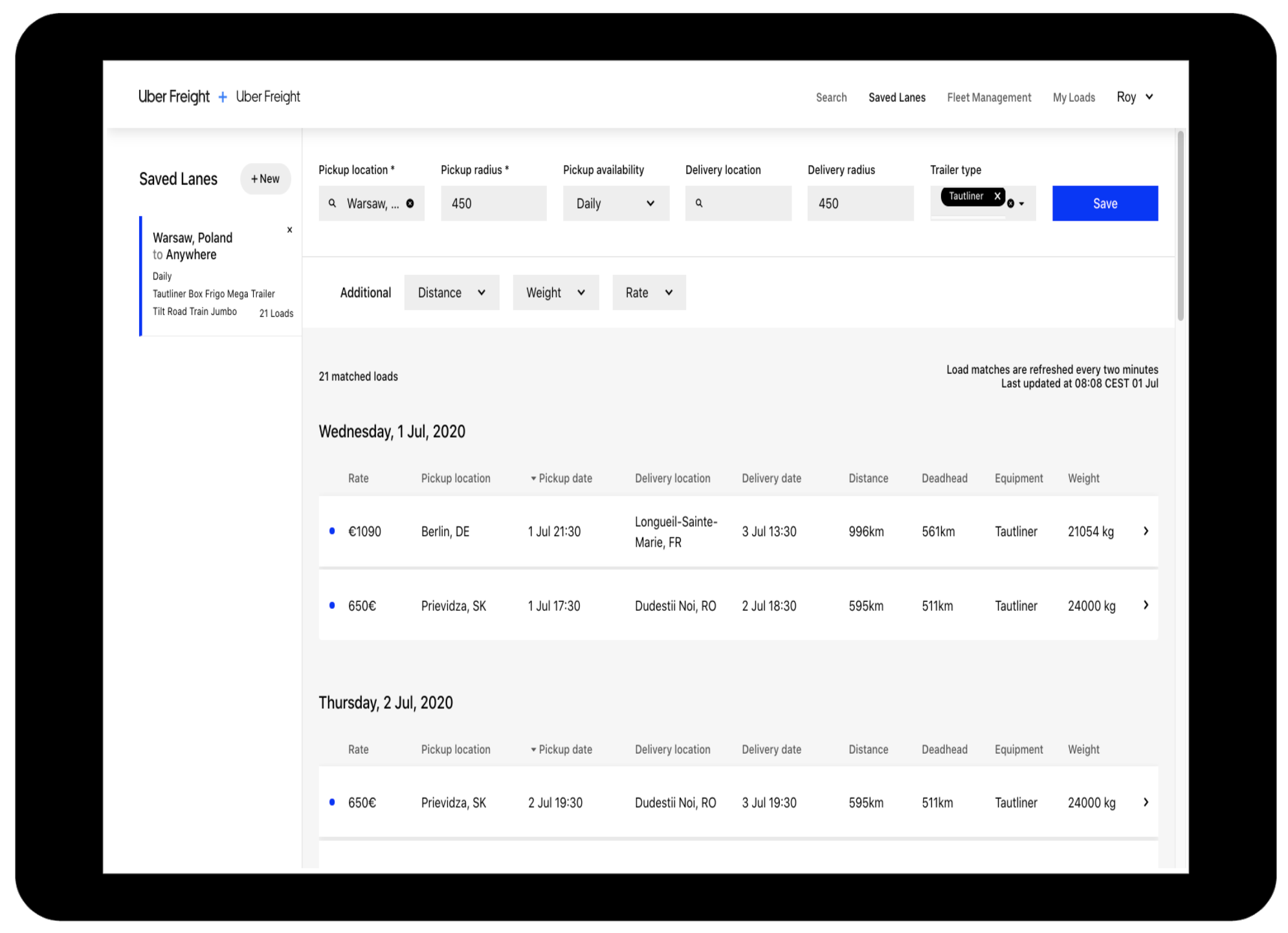
1) To find single loads, click on “Search” in the top menu bar. To find and set recurring loads, click on “Saved Lanes” in the top menu bar.
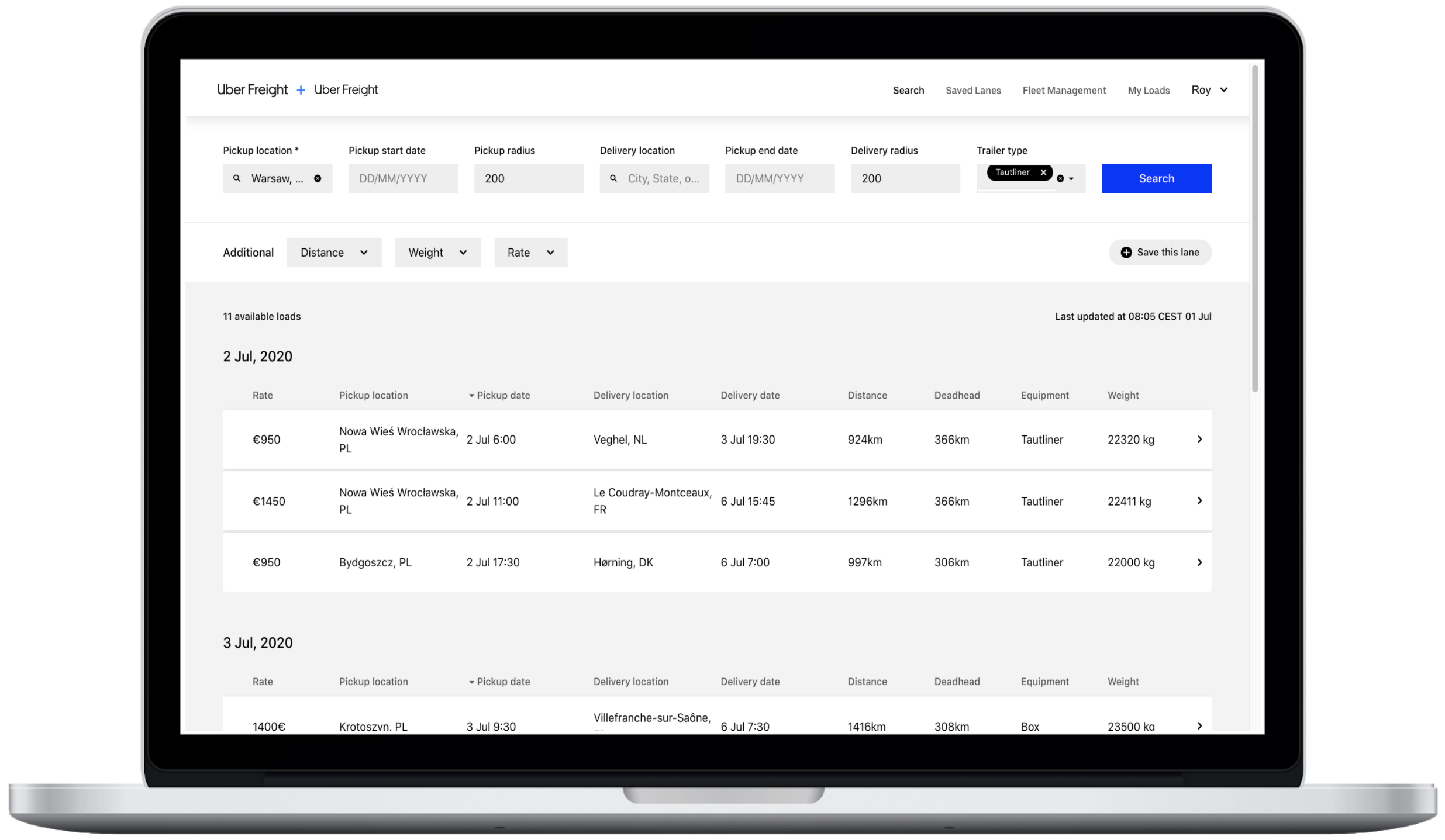
2) Specify your search criteria. Fields that are required are noted with an asterisk and click the “Search” button from the "Search" tab or click “Save” from the "Saved Lanes" tab and you will be shown a list of available loads that meet your specifications.
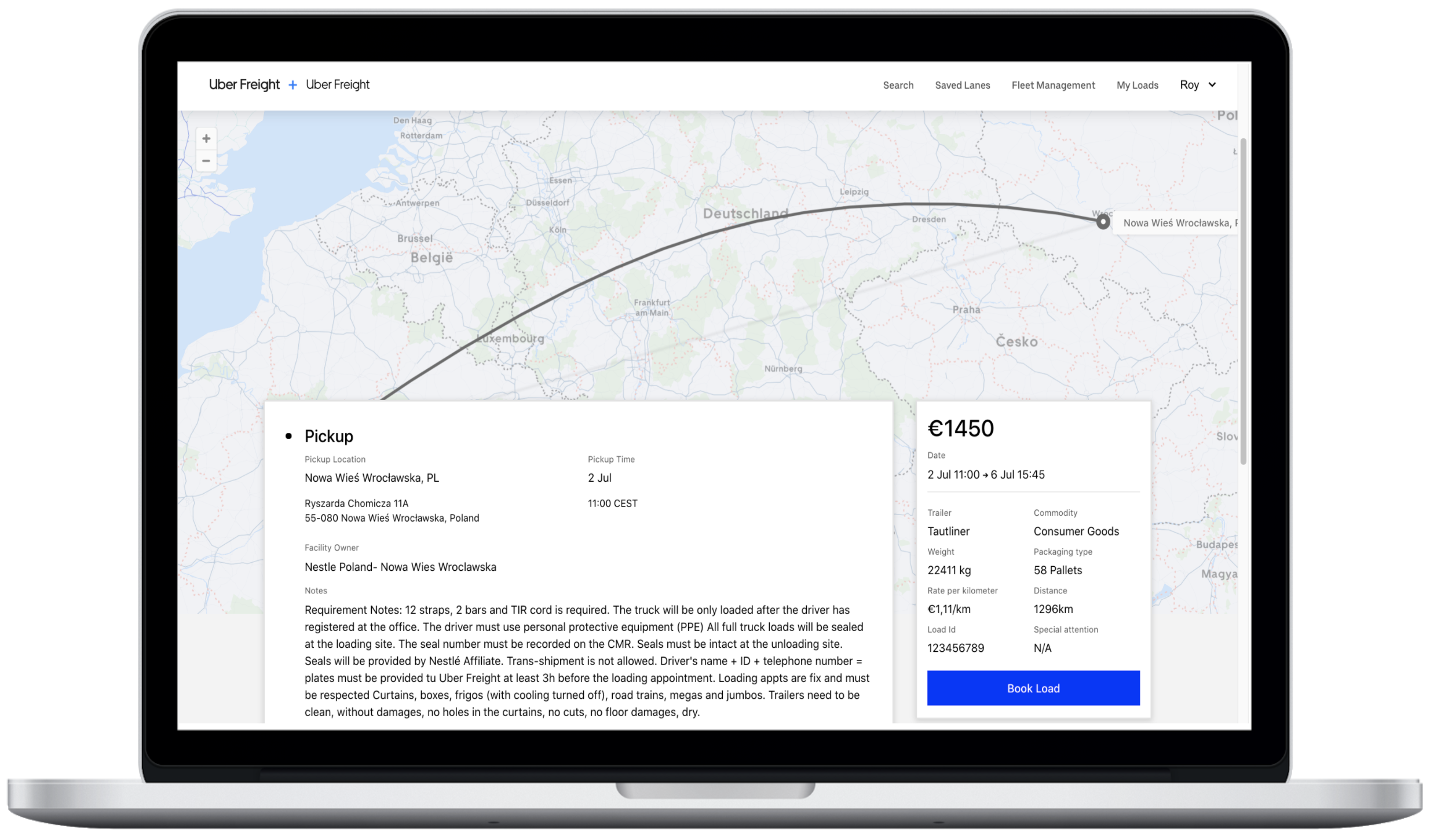
3) If you see a load you’re interested in, click on it and a new browser tab will open with the load details page. You can book the load immediately by clicking “Book load”. You will receive a booking confirmation email.
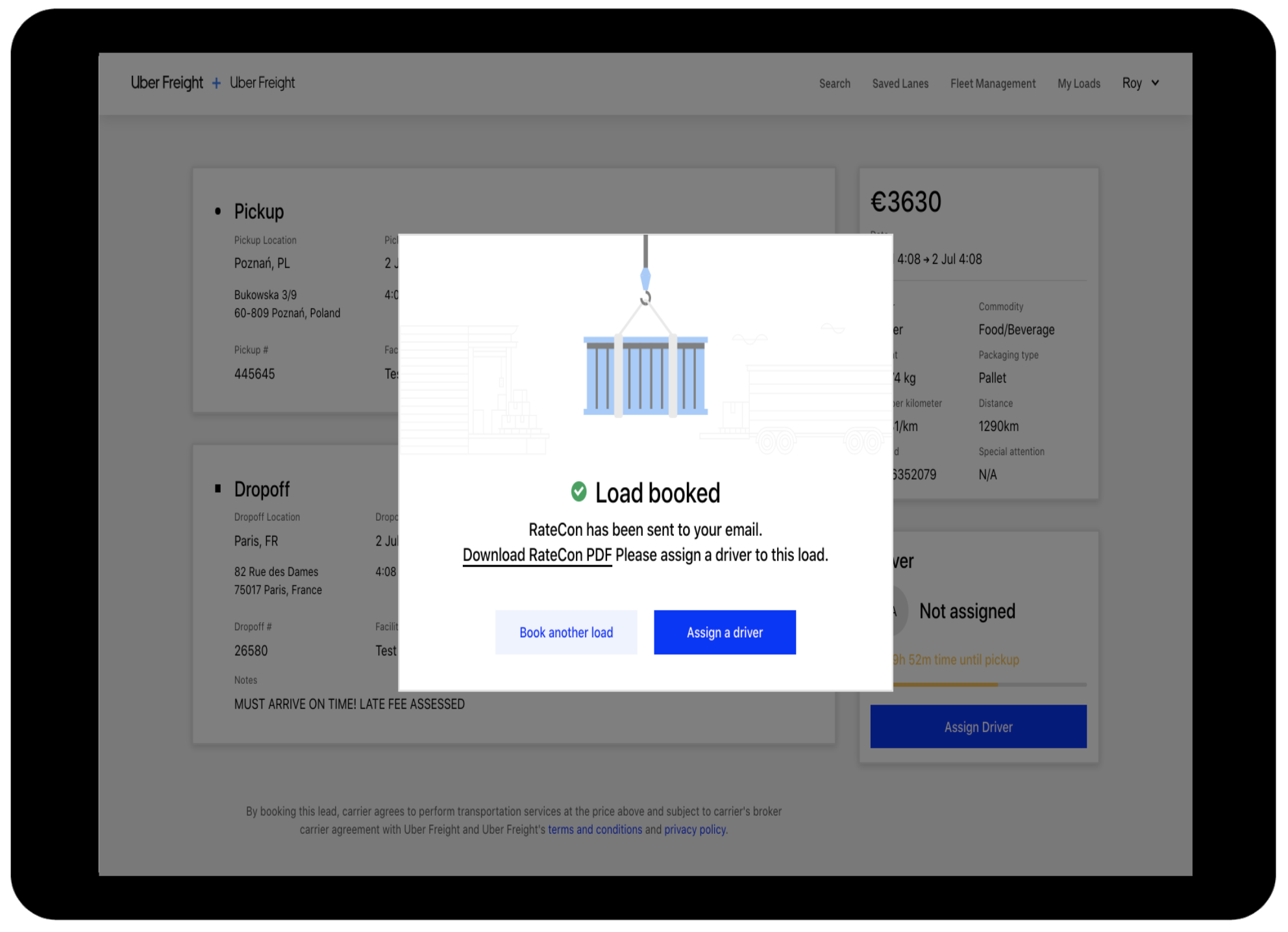
4) When you book a load, you have the option to assign a driver immediately or to do so at a later time. Don’t worry, if a load isn’t assigned to a driver, you’ll receive multiple notifications 24/12/4 hours before pickup.
Searching a load on the Uber Freight app
Booking your next load on the Uber Freight app
Are you an Uber Freight user? Send us your questions, comments, and suggestions at freight-eu@uber.com.