As trucking companies grow, it can become increasingly difficult for dispatchers to keep trucks utilized by assigning the right loads to the right drivers within their fleets. Deadhead, the industry term for kilometers a truck drives with an empty trailer, is one of the most costly problems in trucking. Surveys vary on the distance carriers drive without an active load — estimates range from a low of 15% to a high of 30%. That translates into tens of billions of lost kilometers every year, creating an enormous loss of time and fuel.
Searching for the right load
The Uber Freight web portal makes it easier for dispatchers to find loads.
1) Click “Search” in the top menu bar.
2) Type in your search criteria, which must include the pickup location (city comma country) or (country comma zip code) and pick up radius. All other fields are optional, including pickup date, pickup radius, delivery location, delivery date, delivery radius, trailer type and additional criteria like: distance, weight, rate.
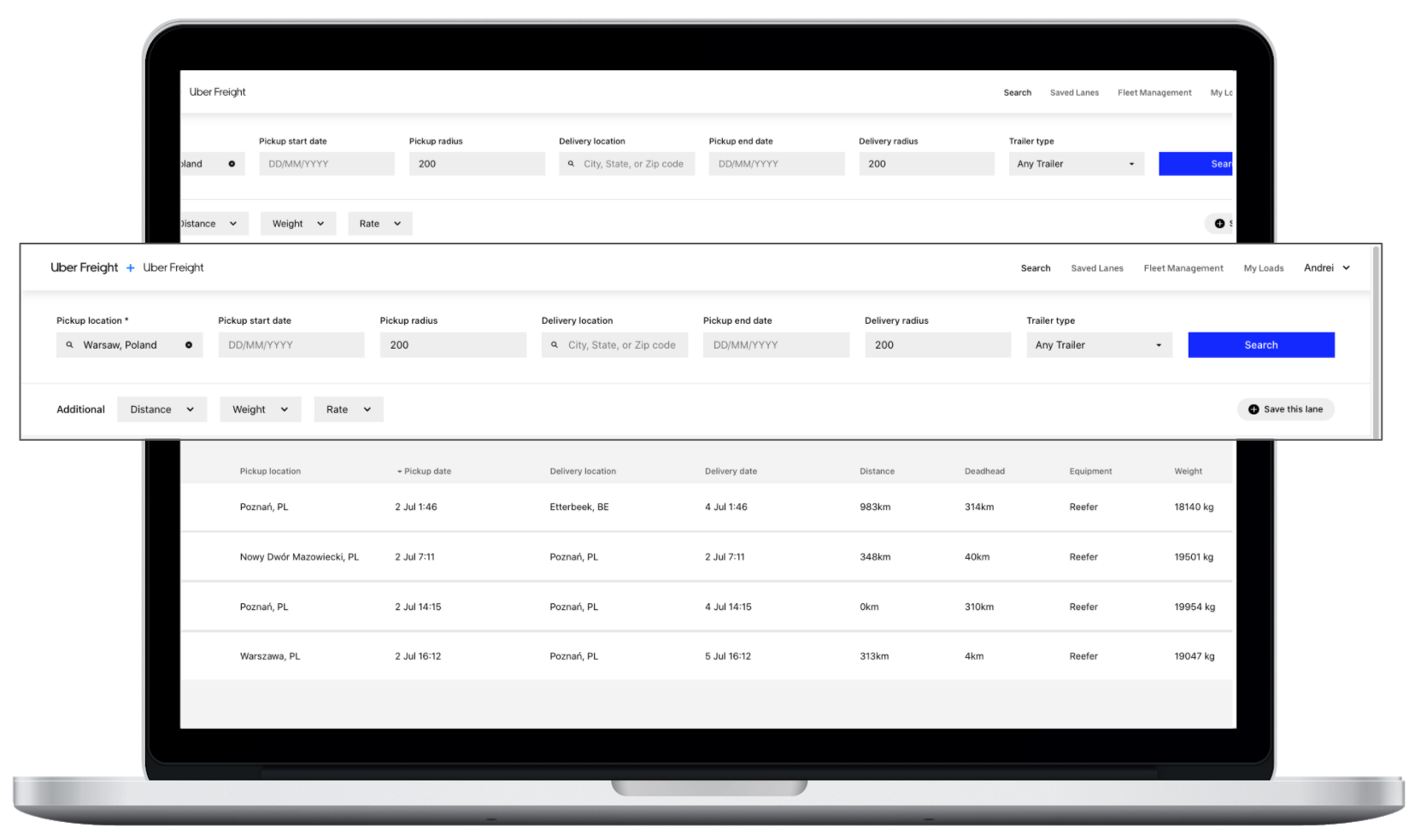
3) After you click the “Search” button, you will be shown a list of loads that match your specifications. If you don’t find any results from your first search, adjust your criteria and try again.
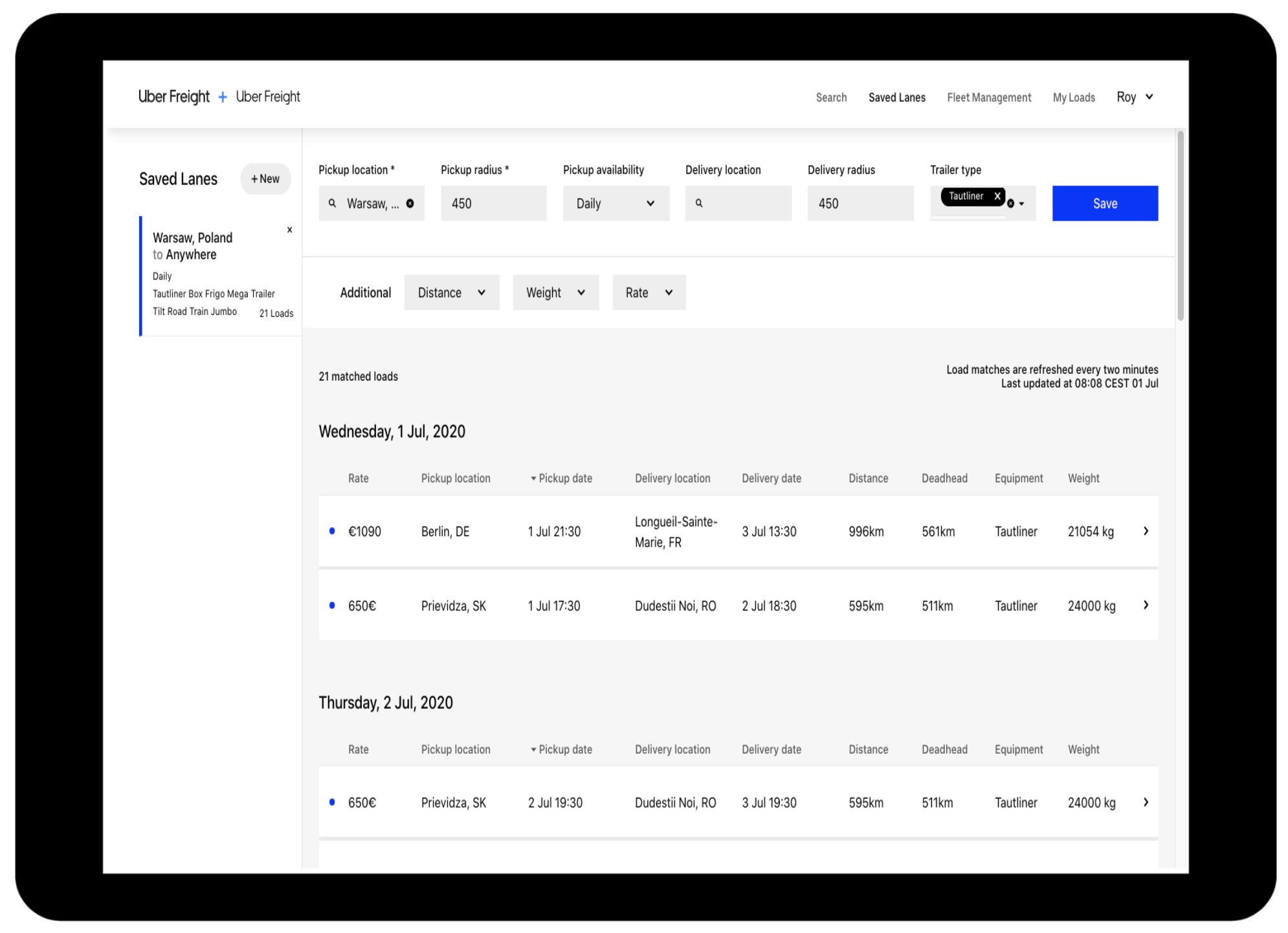
4) If you see a load you want to learn more about, click it and the load details page will open in a new browser tab. You can review key load information, including pickup and delivery locations, the carrier rate, trip distance, dates and times and weight. You should pay attention to the pick up notes for important details about the load as well as facility instruction.
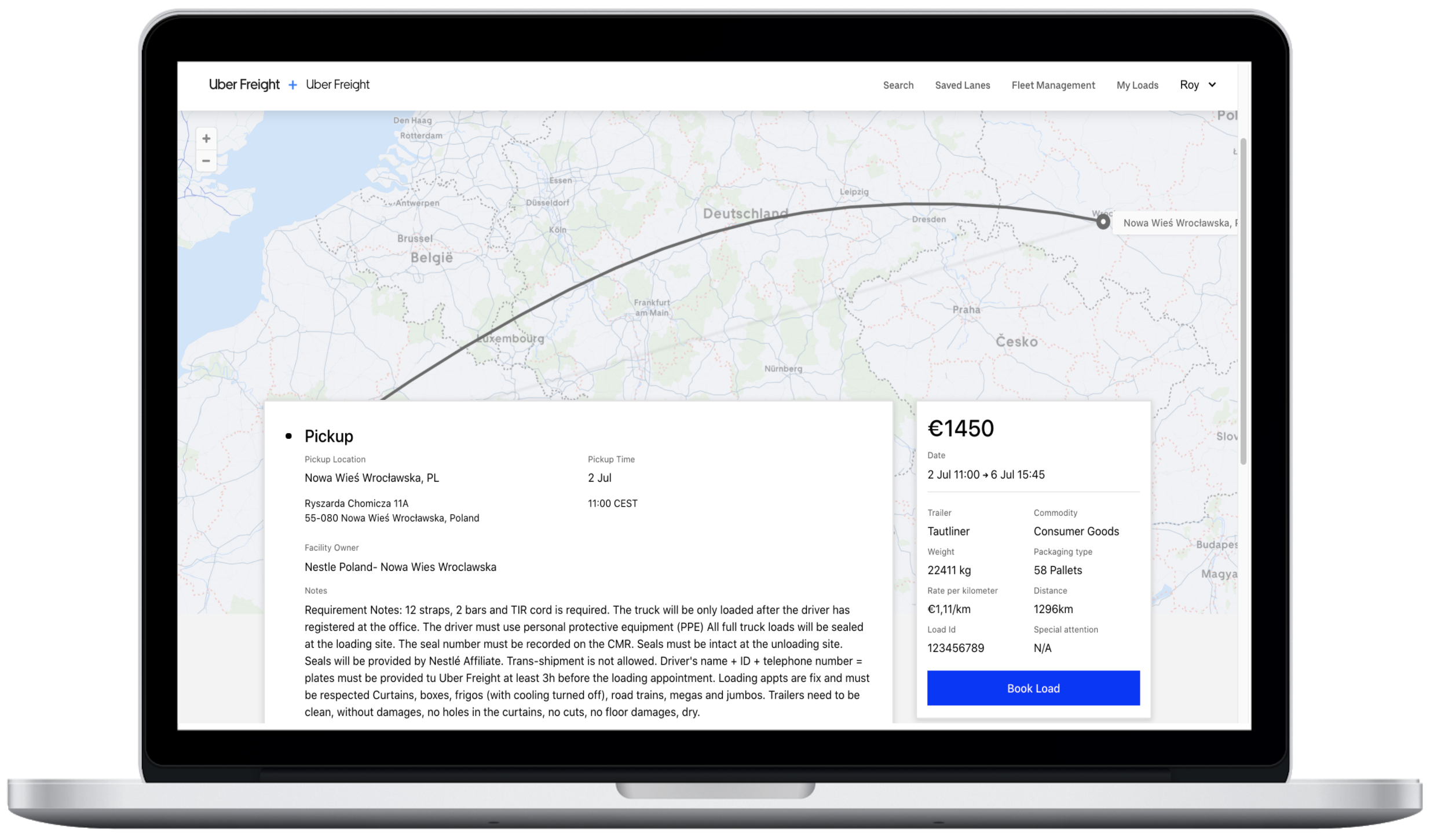
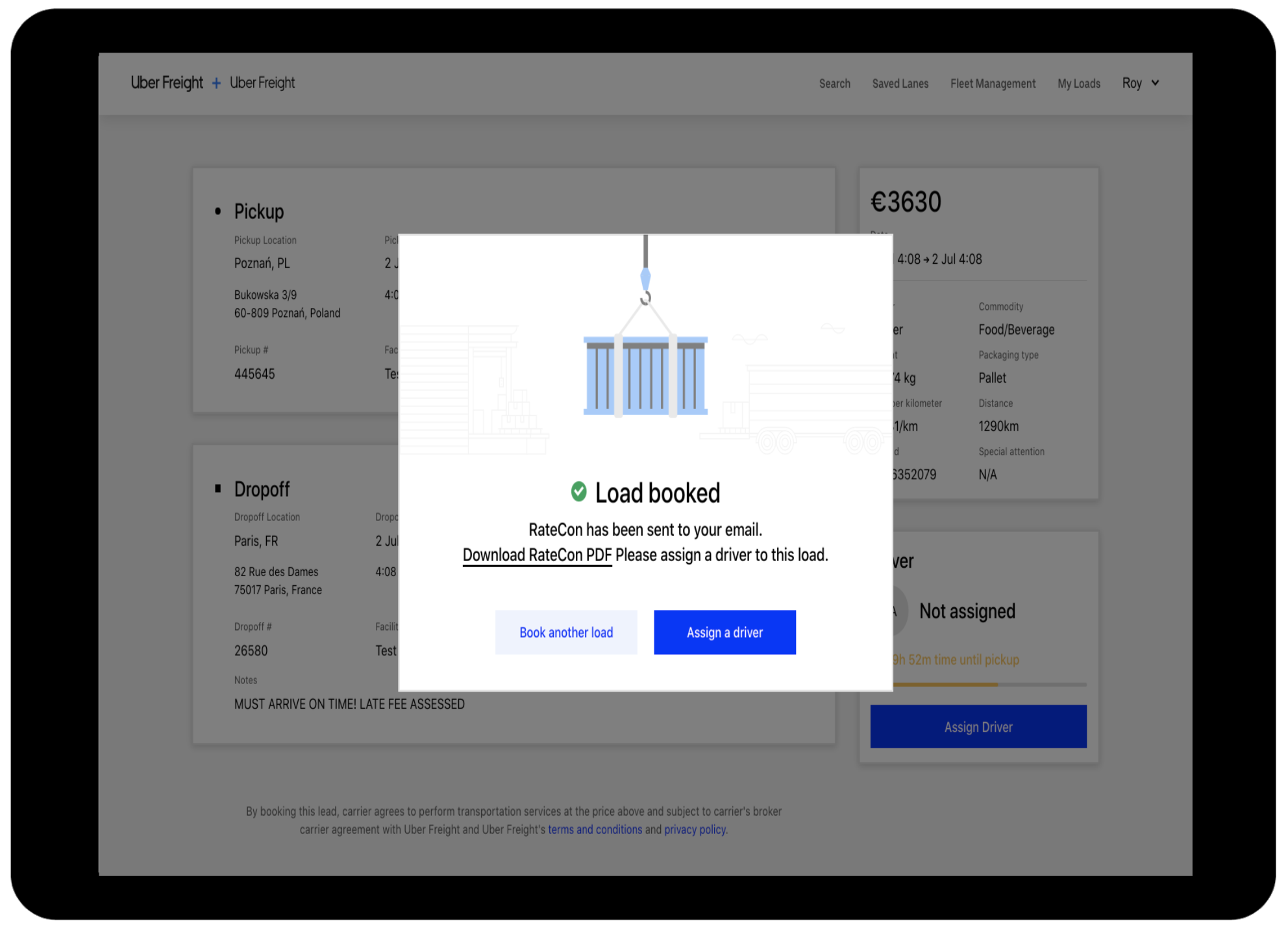
5) If you like what you see, hit “Book load” and it’s yours. It’s important to be sure you can make the pick up time specified as these are fixed. After you book a load, you will see the “Load booked” display. You then have the option to assign a driver or book another load and assign a driver later.
Reload opportunities for current load
While browsing for a load in the bottom of the desktop/app screen you can see available reloads - loads which have a pickup nearby the drop off location of the previous load.
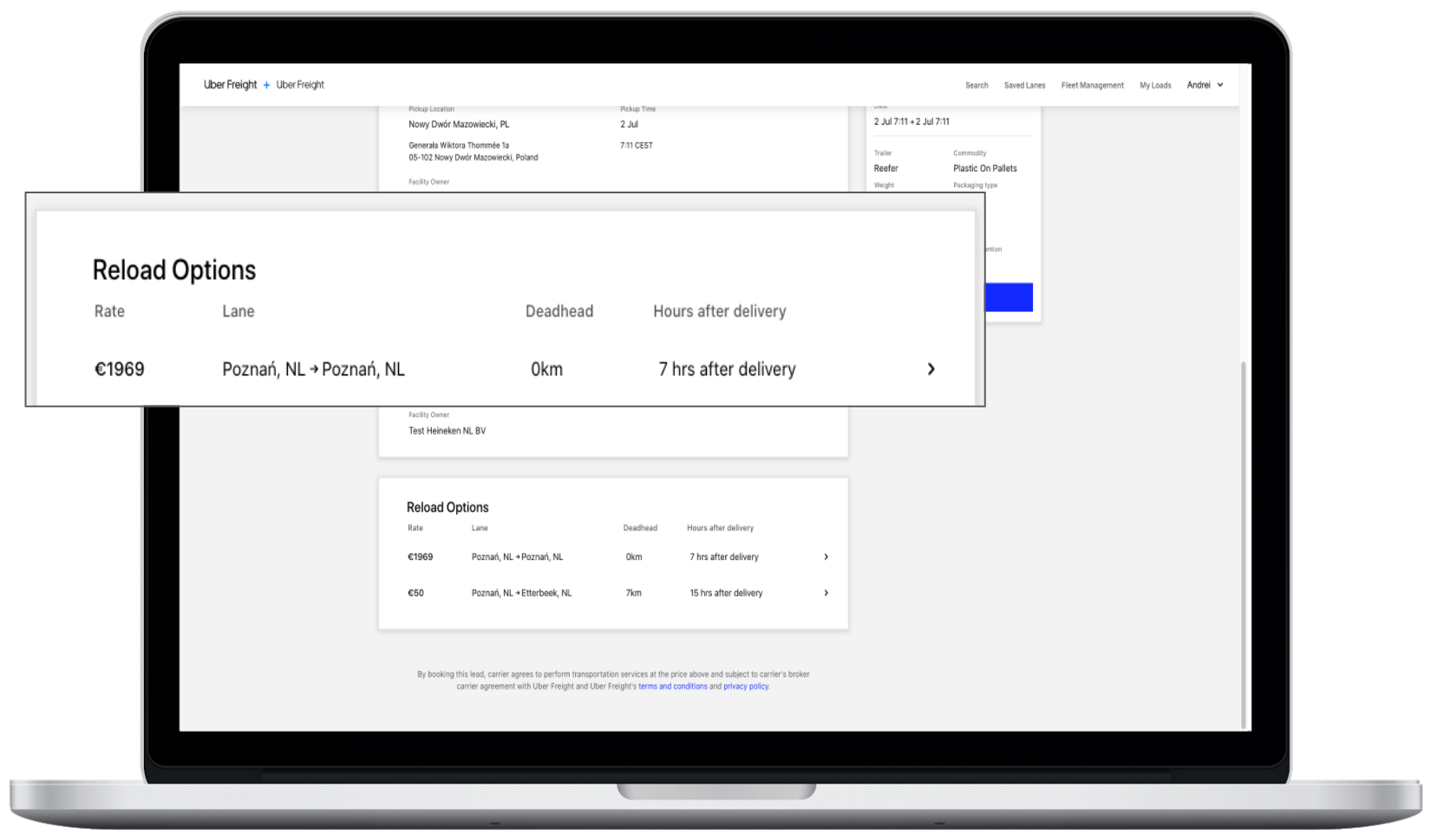
Reload options for each load directly within the web portal
If you’re an owner-operator, dispatcher, or fleet owner, the Uber Freight app and web portal can increase your efficiency and simplify your workday.
Are you an Uber Freight user? Send us your questions, comments, and suggestions at freight-eu@uber.com.